Part 3 · Deploy & troubleshoot
Publishing, channel constraints, retesting in real channels, plus checklist and troubleshooting.
8. Deploy and test in real channels
▶ Goal: Publish (deploy) the agent and verify it in real channels.
8.1 Publish
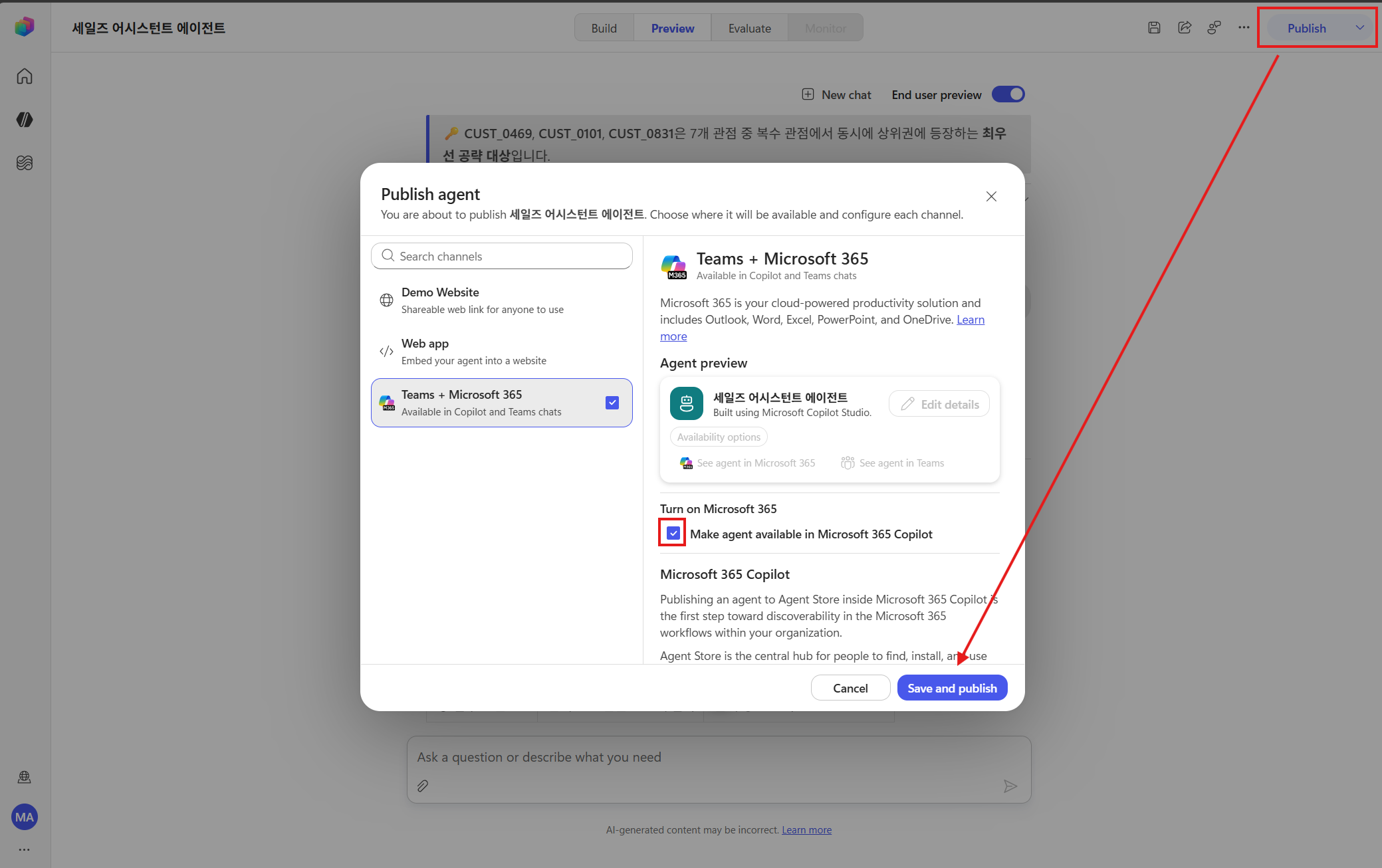
- Click Publish at the top → wait until publishing completes.
- After publishing, enable the channels you want to use in channel settings.
8.2 ⚠️ Current channel constraints (preview, as of 2026-06-14)
Agents created in a personal development environment do not work correctly even after publishing — errors have been observed in the M365 Copilot app, and random abnormal behavior in Teams chatbots (the same personal development environment limitation as in 5.4).
- Resolution: Develop and publish the agent in a Sandbox environment, and each channel works correctly.
- Note: The official M365 Copilot app integration scope is in preview and may continue to change (“subject to change”).
8.3 After publishing — when changing skills
- If you modify a skill after publishing, the change may not take effect immediately. Republish after making changes, and verify that the change was applied with the “show me app/skills” prompt from 5.4.
- When increasing a skill version, it is safer to upload it with a new name (
-v2) rather than the same name (Part 2, section 2.6).
8.4 Reproduce in real channels — repeat the Chapter 7 lab
After publishing finishes, verify that the agent behaves the same way in a real channel, not just in the test pane.
- Open the agent using the link provided after publishing (or access it from an enabled channel).
- Enter prompts #1–#5 from Chapter 7 again exactly as-is and confirm that the same results as the test pane appear (analysis → dashboard → email).
- If there are differences (for example, tools are not connected or skills are not injected), suspect the personal development environment limitations from 5.4 and 8.2, then recheck in a Sandbox environment.
Checkpoint: If it works in the test pane but breaks only in a real channel, it is almost always a personal development environment limitation (8.2). Publishing from Sandbox resolves it.
Appendix. Lab checklist & troubleshooting
Lab checklist
- Did you enter the New environment (preview URL or Try now)?
- Do the Instructions focus on “what” to do, while design points to a skill?
- Did you connect the specific SharePoint folder (Excel time series + Word policy document) as Knowledge?
- Was the single skill (
weekly-sales-brief) registered in the UI? - Did you import the two ZIP skill packages (
excel-analysisandbrand-comms), and do both have SKILL.md at the root? - Does the skill
nameuse only lowercase letters, numbers, and hyphens? - Did you verify with the
app/skillsprompt that resources were injected too? (5.4) - Are Work IQ Mail and OneDrive MCP connected? (No overlapping tools.)
- Did the prompt #3 precautions answer rely on the Word policy document?
- Is the email attached as a OneDrive link, and does it require confirmation before sending to me + my team lead?
- After publishing, did you confirm by repeating prompts #1–#5 in a real channel (8.4)?
Troubleshooting
| Symptom | Cause | Resolution |
|---|---|---|
| ZIP upload rejected | Zipped the folder itself | Zip the folder contents (root SKILL.md) |
| “Name must use only lowercase…” | Name contains _ or uppercase letters |
Use only lowercase letters, numbers, and hyphens |
| Design ignored / arbitrary design | Skill resources not injected (personal development environment limitation) | Verify app/skills → develop in a Sandbox environment (5.4) |
| Copilot app error / random Teams malfunction | New CLI agents unsupported in personal development environments | Develop and publish in a Sandbox environment (8.2) |
| Old behavior remains after changes | Same-name cache / changes not reflected after publishing | Use a new name (-v2) / republish and verify |
| Email attachment fails | OneDrive tool not connected / direct attachment | Reconnect the tool / use link attachment |
| Malfunctions in M365 app or Teams | Personal development environment limitation | Develop and publish in a Sandbox environment (8.2) |