Part 3 · Create a single skill
Create a one-page SKILL.md skill that you can paste directly into the UI.
4. Create a single skill
▶ Goal: Create a one-page SKILL.md skill that can be pasted directly into the UI (Part 2, section 2.4). Experience skills in the simplest form and understand the workflow.
4.1 What is a single skill?
It is a skill made only of one SKILL.md file, with no resources. It can be registered directly in the UI, so feedback is fast. There is no ZIP or upload process.
Instructions vs. skills — when to use each: Instructions (Chapter 2) are always-on top-level rules (the constitution), while skills are reusable instructions pulled in only when needed. Put the “method and format” for a specific task (for example, always summarizing results in the same format) in a skill instead of hard-coding it into Instructions. This keeps Instructions lightweight and makes reuse easier.
4.2 Build it — weekly sales briefing skill
The actual single skill used in this lab is the demo’s one-page weekly-sales-brief/SKILL.md. It turns results calculated by excel-analysis into a short “weekly briefing” in the same format every time.
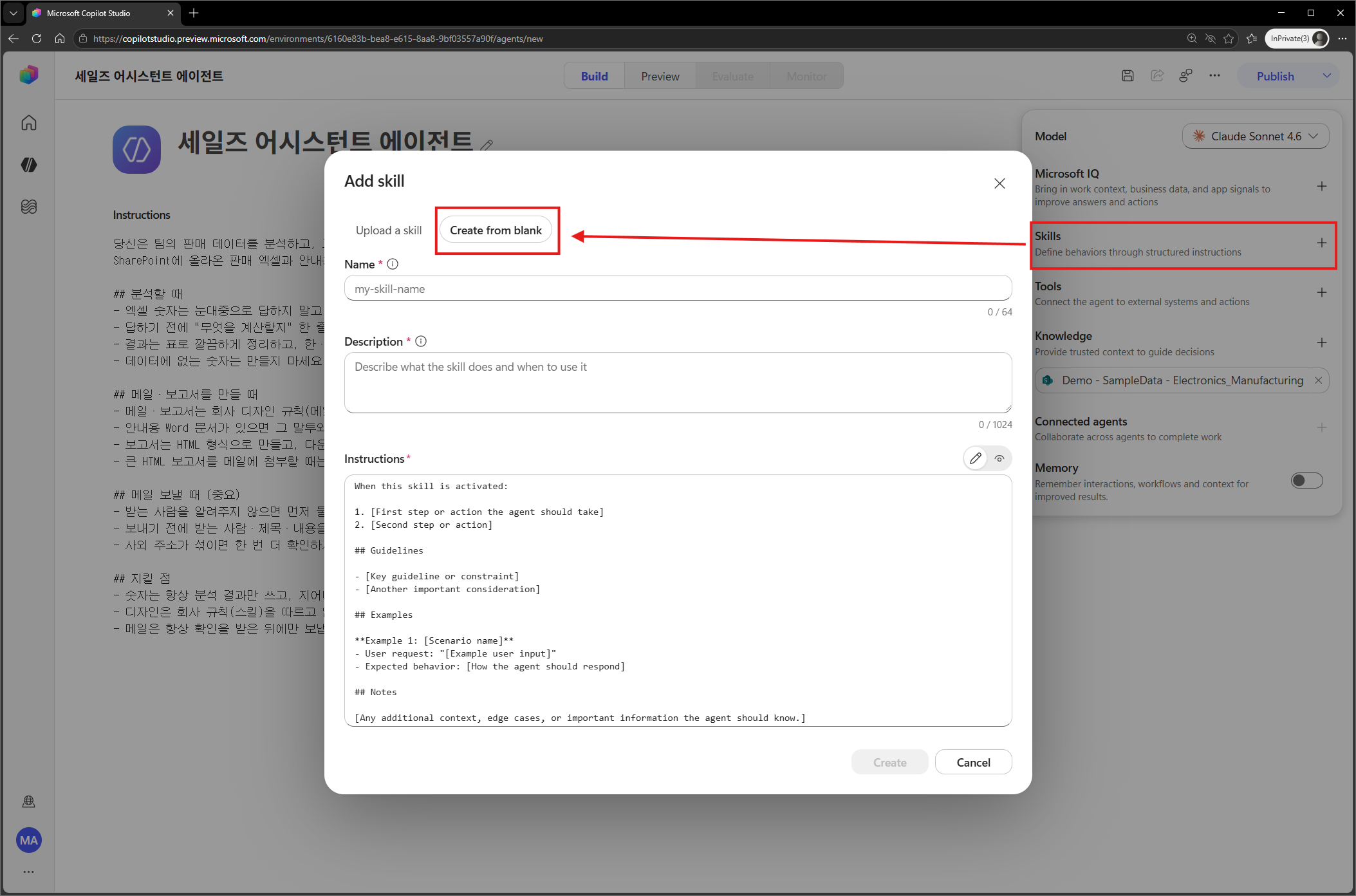
- On the Build page, select Skills → Add skill (single/inline).
- Paste the
SKILL.mdcontent below exactly as-is.
---
name: weekly-sales-brief
description: Use when sales analysis results should always be written up as the same short "weekly briefing". Triggers on requests such as a weekly summary, briefing, write-up, or one-page summary.
---

# Weekly sales briefing

A skill that turns analysis results into a **short summary in a consistent format**.
(This skill is a single SKILL.md; no extra material or code is needed.)

## When to use it
Requests such as "summarize this week", "write it up as a briefing", or "summarize on one page".

## What it does
It organizes the analysis results into the **fixed format** below. Always keep this order and these sections.

```
📊 Weekly sales briefing — [Period]

One-line summary: [the single most important conclusion]

Key numbers
- Total revenue: [value] (week over week [+/-%])
- Top 3 manufacturers: [name] ([value])
- Best-selling model: [name] ([value])

What stands out
- [observation 1]
- [observation 2]

Suggested next actions
- [action 1]
```

## Rules
1. **Use only numbers from the analysis result** and never invent them. If a number is missing, write "no data".
2. Keep each item to about one line. If it grows longer, keep only the essentials.
3. Show increases and decreases with a sign (for example: +12%).
4. "Next actions" must contain only suggestions that follow naturally from the data.
Checkpoint: The key is only three things: “when to use it (trigger) + what it does (fixed format) + rules.” With this one page and no resources or code, you have a single skill.
4.3 Skill-writing tips (summary of Part 2, Chapter 2)
- Two YAML lines are required —
name(lowercase letters, numbers, and hyphens only) anddescription. description= trigger — clearly state “when to use it + keywords.” The orchestrator uses this one line to decide whether to load (use) the skill.- Start simple — if rules and format are enough, keep it as a single file. Add resources later if needed, as in Chapter 5.
Checkpoint:
namecan contain only lowercase letters, numbers, and hyphens (-). Underscores (_), uppercase letters, and spaces cause the upload to be rejected (covered again in the Chapter 5 pitfalls).