The Compliance Packet — Audit Package Creation Mission
Create an audit package (Word/Excel) and briefing email in a single Cowork conversation based on four internal documents
Mission: Operation By the Book External auditors will visit Zava Financial Services in two weeks. With four internal documents—two policy documents, a risk register containing open items, and an audit checklist—you will create an executive summary, gap analysis, auditor cover letter, and a briefing email to review and send, all in one conversation.
🔍 Problem
Compliance preparation is document-heavy and full of cross-references. You need to compare information across multiple files, write in different tones for different audiences, and produce outputs in specific formats without errors that an auditor would catch.
📋 Finished output
When you complete this mission, Copilot Cowork will create:
- ✅ An executive summary (Word) synthesizing Zava’s compliance posture across all four source files
- ✅ A gap analysis (Excel) that maps open risk items to audit checklist items and sorts them by risk level
- ✅ An auditor cover letter (Word) addressed to Hartwell & Associates and signed by leadership
- ✅ An executive briefing email that you review and approve before sending from Outlook
⚙️ Prerequisites
- A Microsoft 365 Copilot license with Copilot Cowork enabled
- Download the four sample files in this lab’s
/assets/sample-filesfolder
Caution Copilot Cowork requires Frontier enrollment for both the user account and tenant. If you do not see Cowork at m365.cloud.microsoft, ask an admin to check enrollment under Copilot → Settings → Frontier in the Microsoft 365 admin center. Before you start, open all four sample files and understand their contents.
🎯 Scenario
You are a compliance analyst at Zava Financial Services, a midsize financial-services company headquartered in Chicago. An external audit by Hartwell & Associates LLP is scheduled for October 14–18, 2026 and will cover ISO 27001 and SOC 2 Type II controls. The CISO wants a complete audit package for executive review by the end of the week. Your goal is to turn four internal documents that describe Zava’s current compliance posture into a professional audit package in one Cowork conversation.
📁 Lab assets
This mission provides four source documents.
| File | Description |
|---|---|
data-retention-policy.docx |
Zava Data Retention Policy v2.3 — retention schedule and legal hold procedures |
access-control-policy.docx |
Zava Access Control Policy v3.1 — IAM, MFA, privileged access |
zava-risk-register.csv |
12 open/partial risks (R-001 through R-012), each with Risk Level, Owner, Status, and remediation notes |
zava-audit-checklist.csv |
15 audit checklist items mapped to ISO 27001/SOC 2, each with readiness status (Ready / In Progress / Not Ready) |
📥 You can download the lab assets from the original site.
🧪 Lab 1.1 — Open Cowork and attach files
A good habit to build early: attach files before sending the first message. Files attached at the start are available throughout every step of the conversation. Files added later apply only from that point onward.
- Go to m365.cloud.microsoft or open the Microsoft 365 Copilot desktop app.
-
In the left navigation, under Agents, select Cowork.
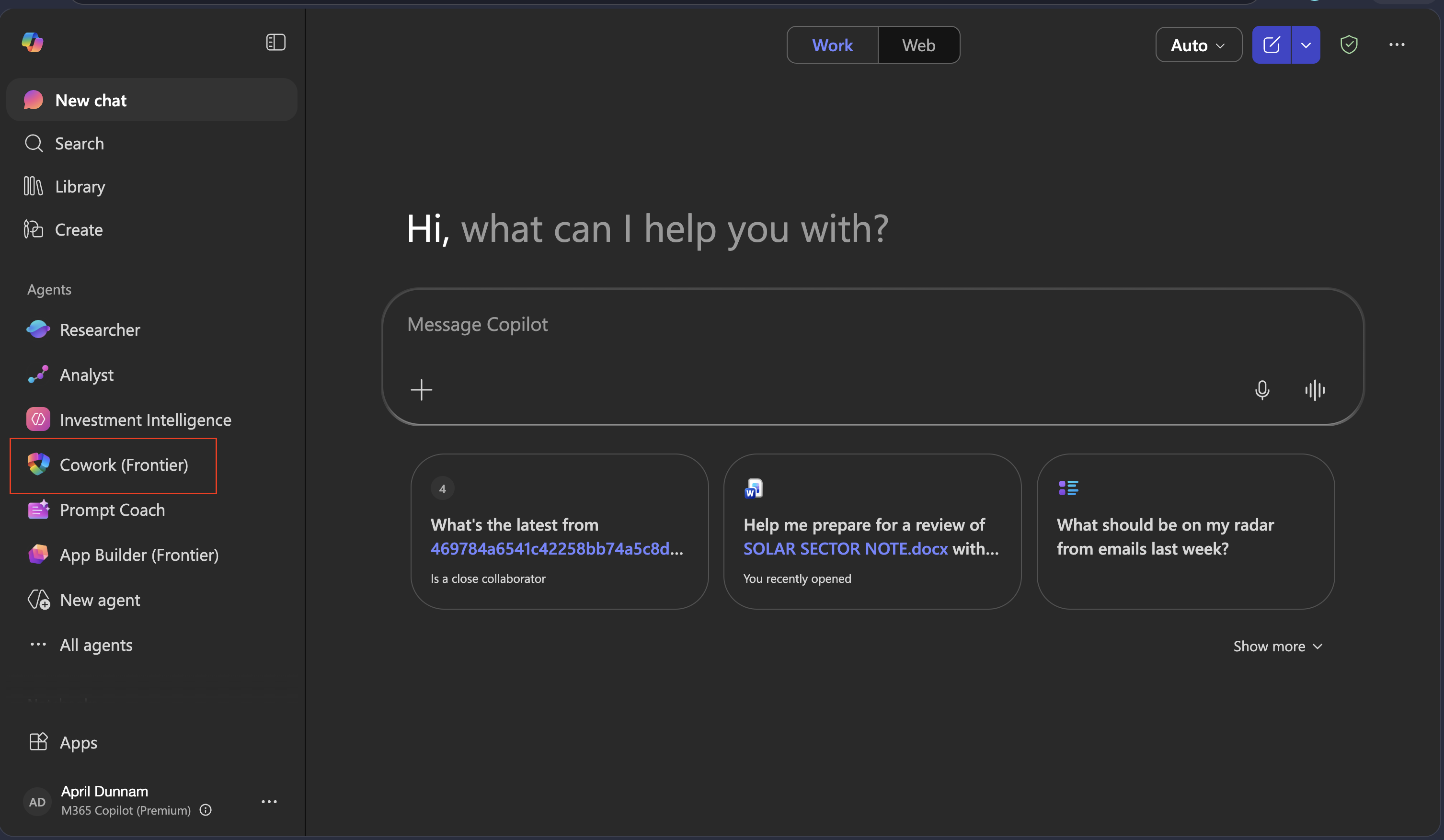
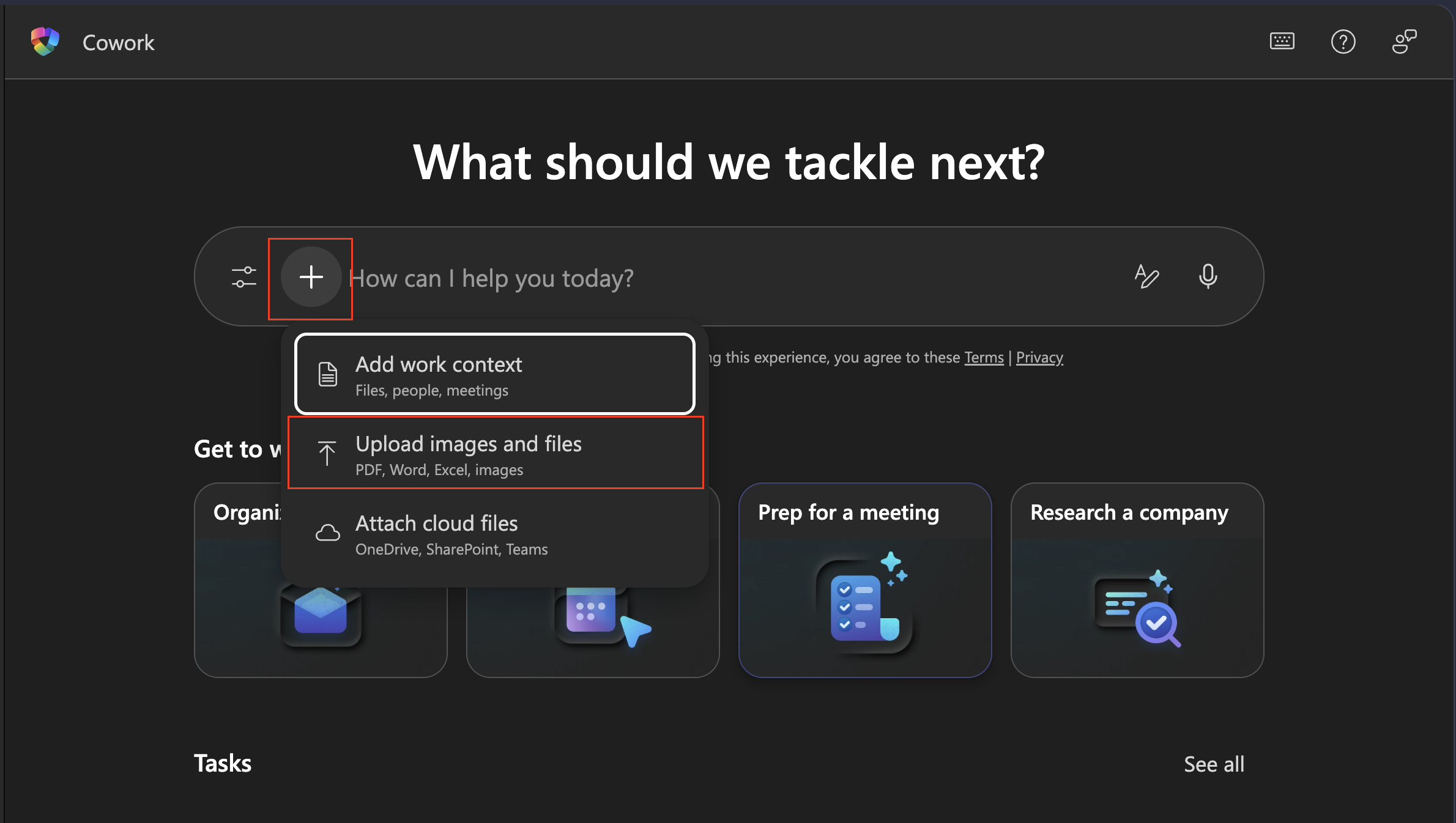
- Before typing anything, attach all four sample files.
- Upload from your PC with Upload images and files, or
- If you already moved them to OneDrive/SharePoint, use Attach cloud files
Note: If you do not see Cowork on the left, search for it under All agents. If it still does not appear, your account may not have Frontier access (contact your admin).
🧪 Lab 1.2 — Send the prompt
With all four files attached, describe the entire task in one message. Tell Copilot Cowork what you want and let it decide how to do it.
Copy, paste, and send the following prompt.
I am a compliance analyst at Zava Financial Services, preparing for an external audit by Hartwell & Associates LLP.
The audit is scheduled for October 14–18, 2026 and covers ISO 27001 and SOC 2 Type II.
The CISO wants a complete audit package for executive review by the end of the week.

I attached four documents describing our current compliance posture.
Use only these files as the source of truth — do not add findings, owners, or policy details that are not in the attachments.

Please create three documents and one email draft:

1. Executive summary (Word, save as: zava-audit-executive-summary.docx)
   Audience: CISO and C-level executives. Tone: direct and professional, without exaggeration.
   Include: overall compliance posture assessment, top risk items with actual Risk IDs,
   readiness status by checklist state, high-exposure control areas, and a prioritized two-week action plan.

2. Gap analysis (Excel, save as: zava-gap-analysis.xlsx)
   Map each open/partial item in the risk register to the corresponding audit checklist item.
   Columns: Risk ID | Risk Description | Risk Level | Related Audit Checklist Item |
   Audit Readiness Status | Gap Summary | Recommended Action Before Audit | Owner
   Sort by Risk Level descending (Critical first). Add summary rows at the bottom with counts by risk level.

3. Auditor cover letter (Word, save as: zava-audit-cover-letter.docx)
   Recipient: Hartwell & Associates LLP, Attention: Lead Auditor
   Signatures: Dana Olufsen (CCO), Priya Nair (VP Information Security)
   Include: introduction to the enclosed audit package, confirmation of audit scope (ISO 27001 + SOC 2 Type II, October 14–18, 2026),
   and a note that some action items are in progress (see executive summary for details).
   Format: formal business letter, today's date, closing phrase "Respectfully submitted".

4. Executive briefing email
   Subject: Audit Package Ready for Review — October 14 Engagement
   Include: October 14 audit date and Hartwell & Associates mention,
   the top three most urgent compliance gaps requiring executive attention (cite actual Risk IDs from the register),
   a note that the full executive summary is attached, and a request for a 30-minute alignment call this week.
   Tone: concise — no more than three short paragraphs.
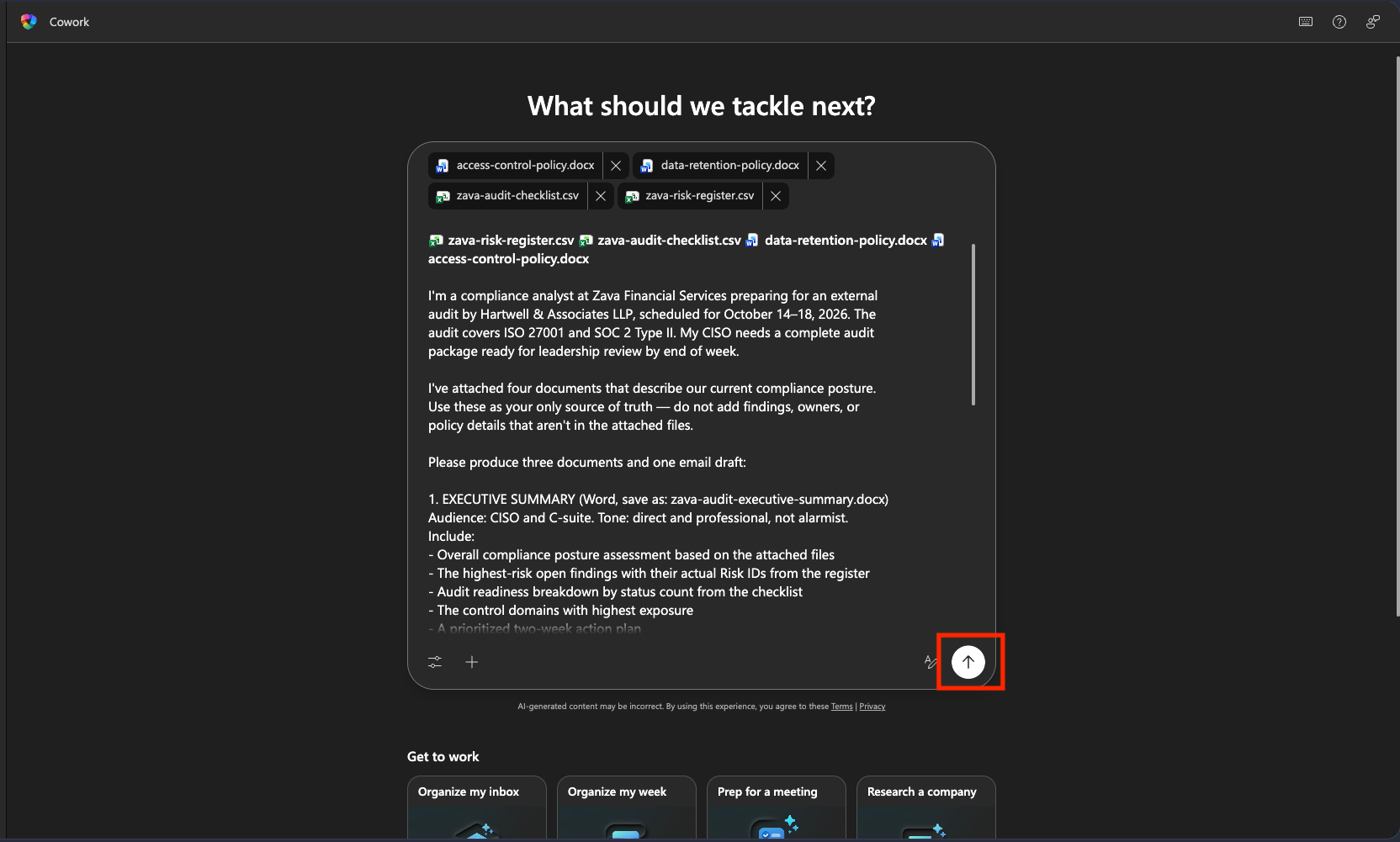
Tip The phrase “Use only these files as the source of truth — do not add items or owners that are not in the attachments” is important. It prevents Copilot Cowork from filling in generic compliance content on its own. Use this pattern when accuracy is non-negotiable.
🧪 Lab 1.3 — Check the side panel and review documents
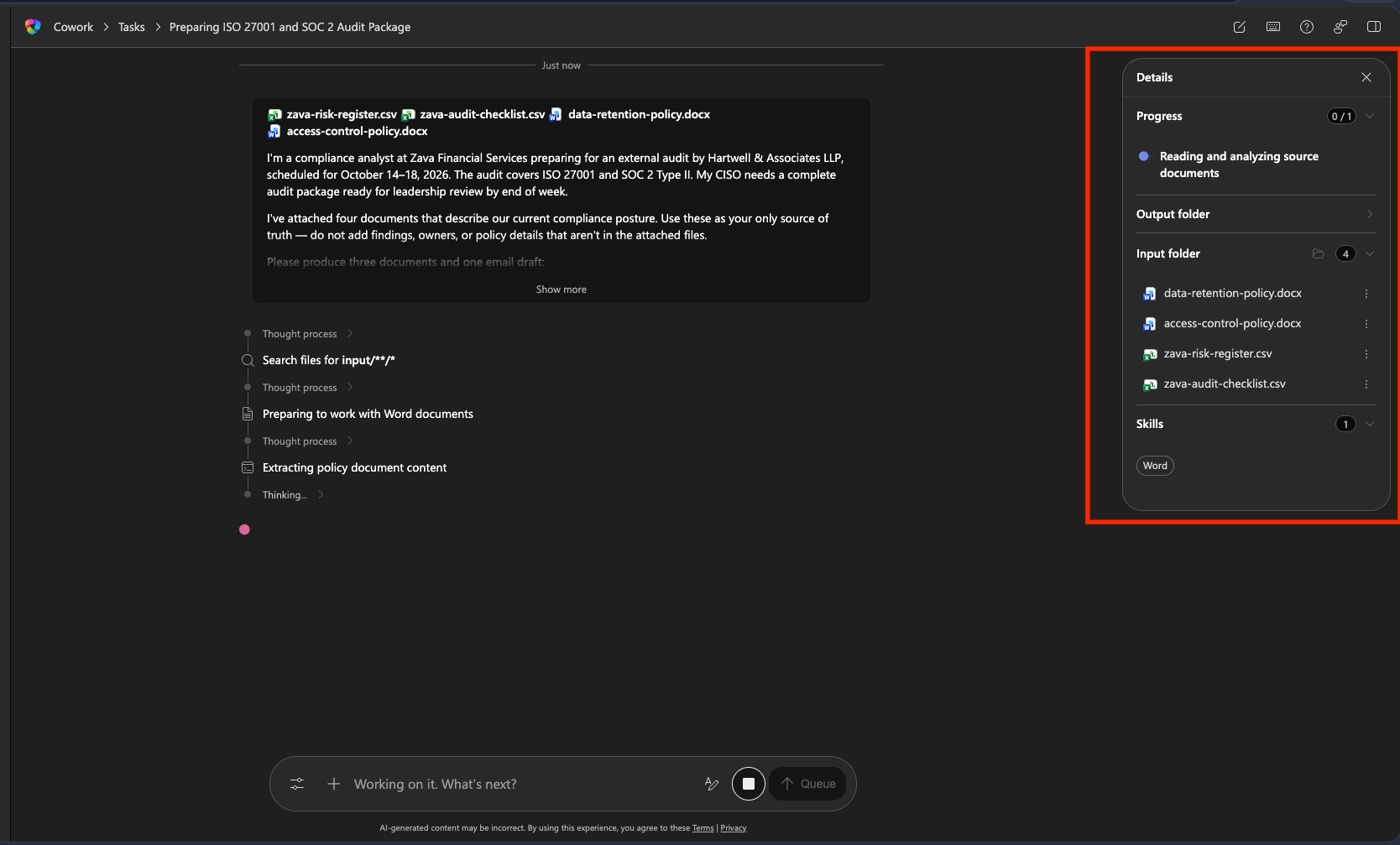
After sending, open the side panel and confirm that the Progress section updates in real time. Activated skills appear as chips in the Skills section. When each document is complete, it appears in the Outputs folder.
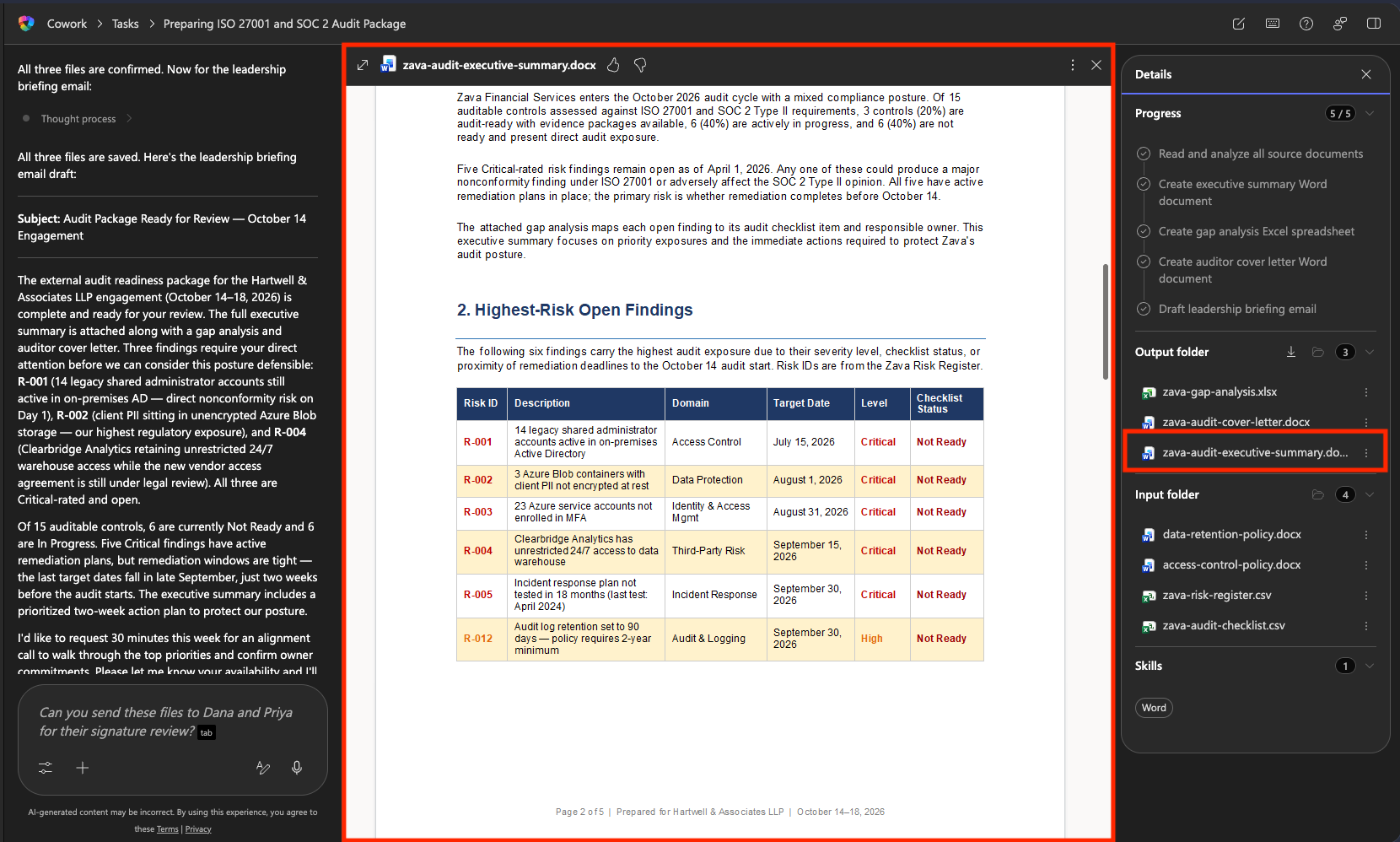
- Open the executive summary output and review it in preview. Cross-check it against the source files.
- Does it reference specific Risk IDs (R-001 through R-012)?
- Are the readiness counts accurate?
- Are the policy versions accurate? (Data Retention v2.3, Access Control v3.1)
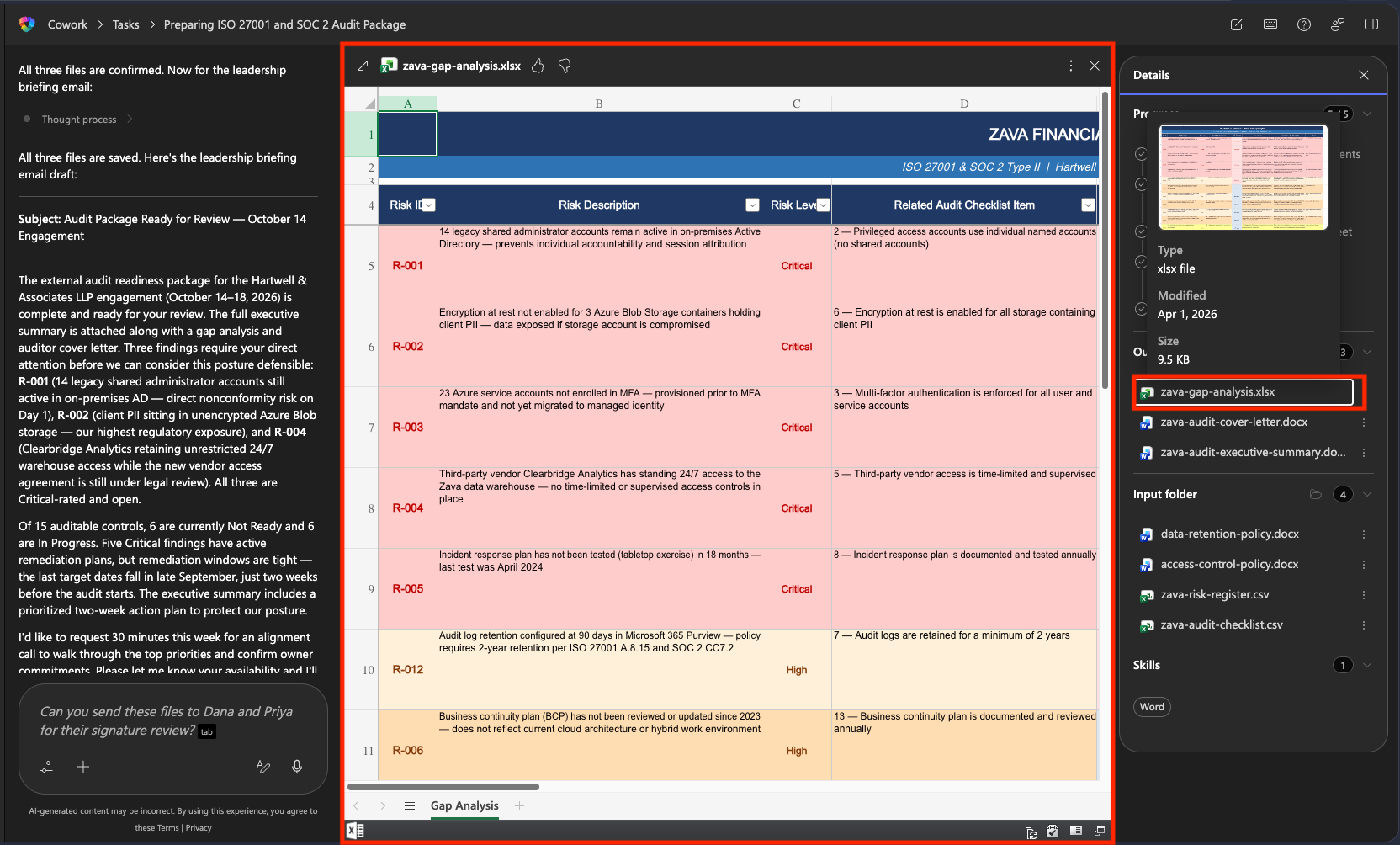
- Open the gap analysis output and review it.
- Are all risk register items reflected?
- Is it sorted Critical → High → Medium?
- Is the owner in each row accurate? (cross-check against the register)
- Are the counts by risk level in the summary rows at the bottom correct?
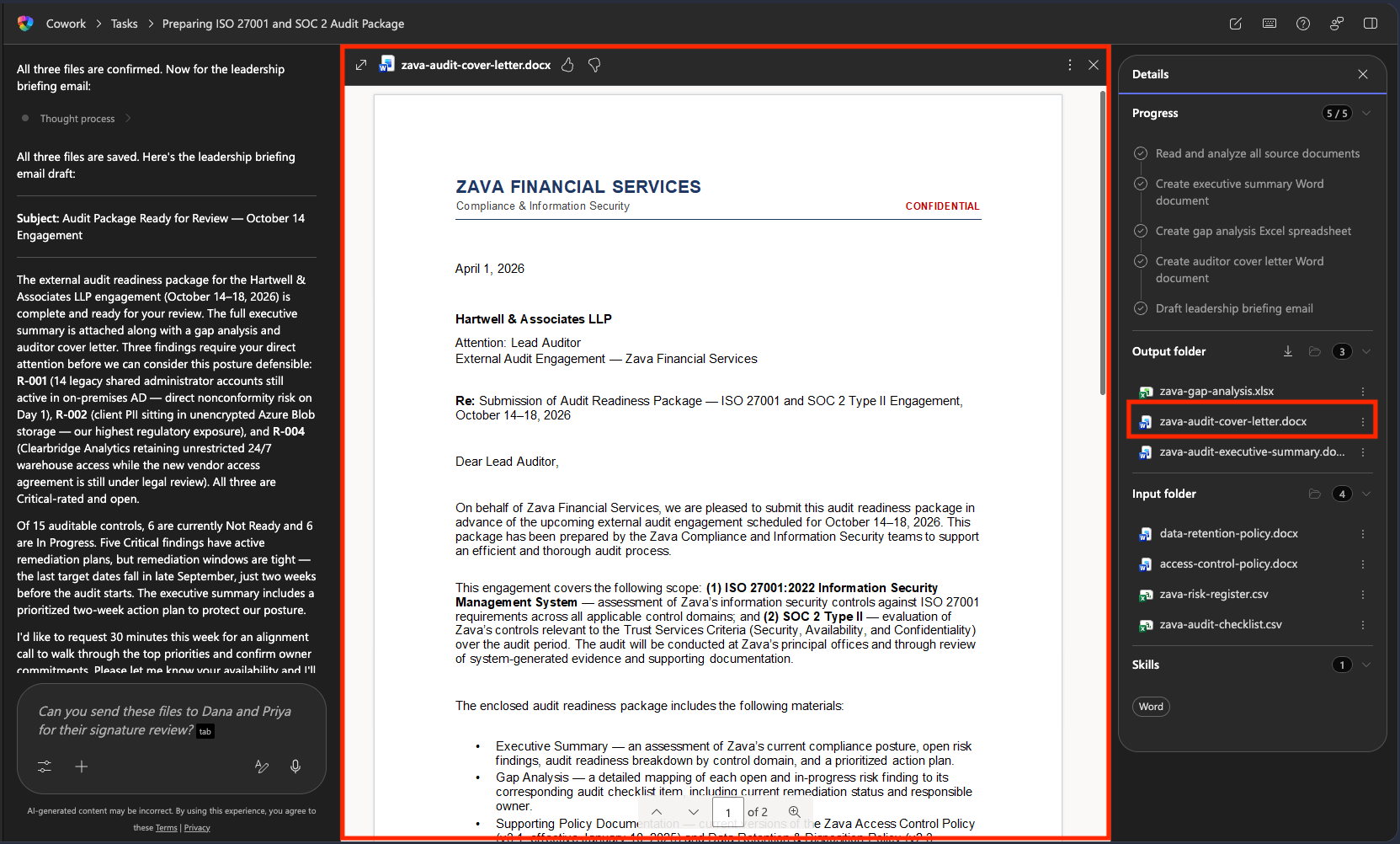
- Open the cover letter output and review it.
- Is the recipient correct? (Hartwell & Associates LLP)
- Are both signers included? (Dana Olufsen, Priya Nair)
- Are the audit dates correct? (October 14–18, 2026)
- Is it formatted as a formal business letter with today’s date?
Note: If anything is wrong, do not start over. Send a correction request in the same conversation. Example: “R-012 is missing from the gap analysis. Map it to audit checklist #7 and add it as Risk Level High.” Copilot Cowork will update and show the file.
🧪 Lab 1.4 — Review and approve the email
After the three documents are complete, Copilot Cowork presents a draft executive briefing email for review.
- Read the email carefully.
- Do the cited Risk IDs match the highest-severity items in the register?
- Is the tone concise, professional, and not exaggerated?
- Is the call to action (a 30-minute alignment call this week) clear?
- Is the audit date (October 14) correct?
-
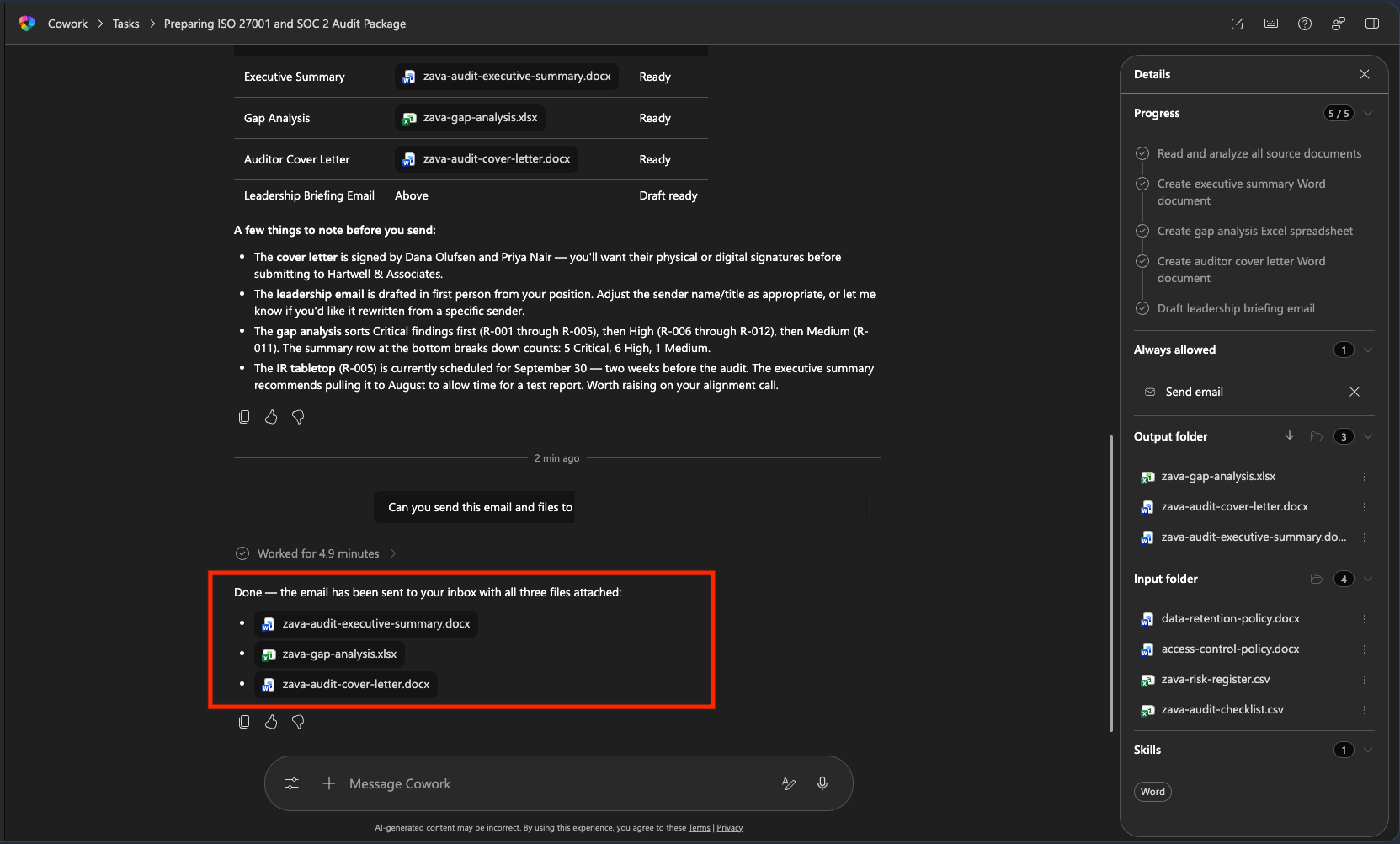
If the email is correct, ask Cowork to send it with the following prompt.
Please send this email and the files to <your email address>Note: If it needs changes, select Reject and tell Cowork what to fix.
-
When Copilot Cowork composes a new email with the files attached inline, review it and click Send.
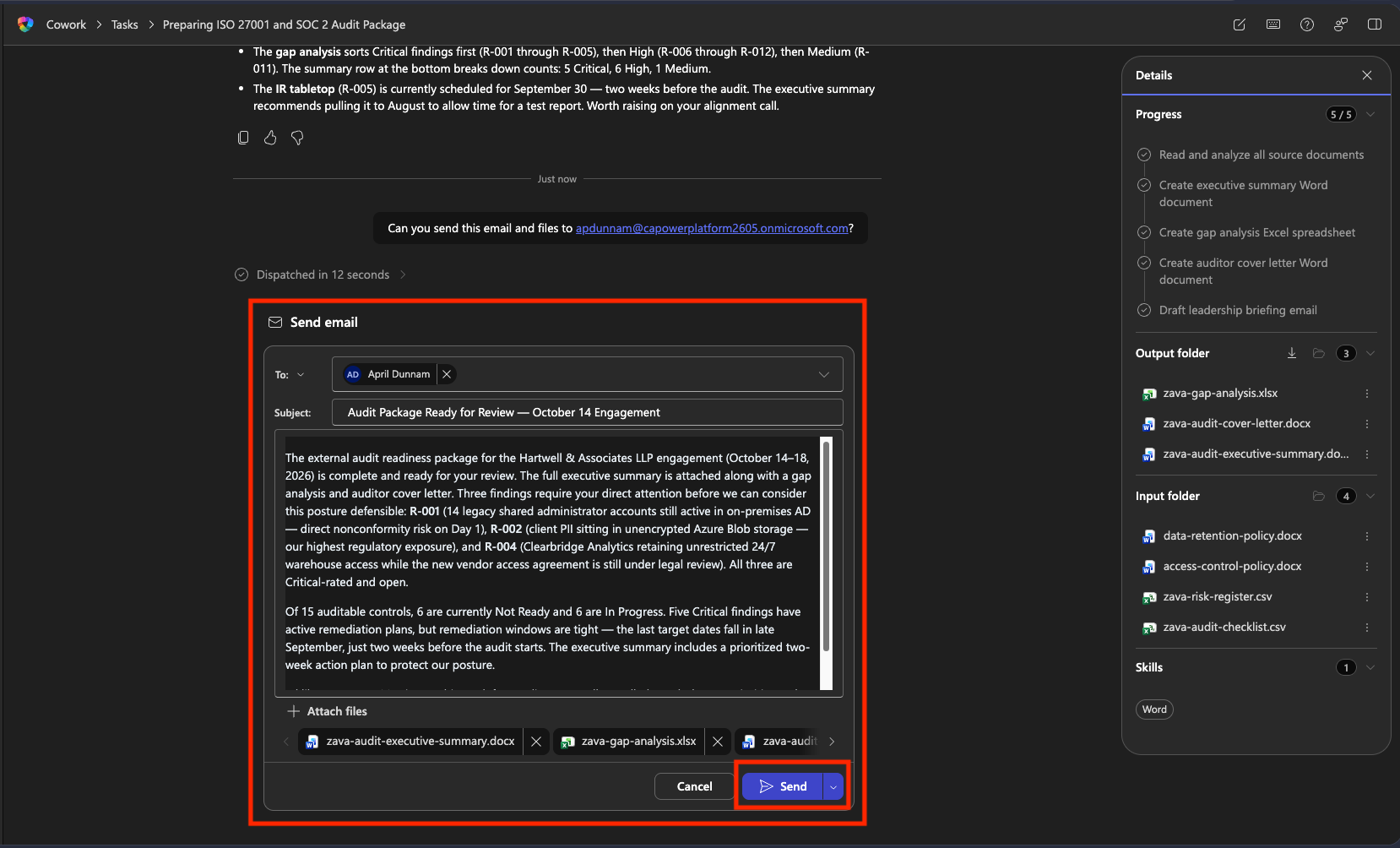
Caution: If you approve, the email is actually sent from your Outlook account to the recipient. For testing, instruct it to send to yourself.
-
You receive a send-confirmation message.
-
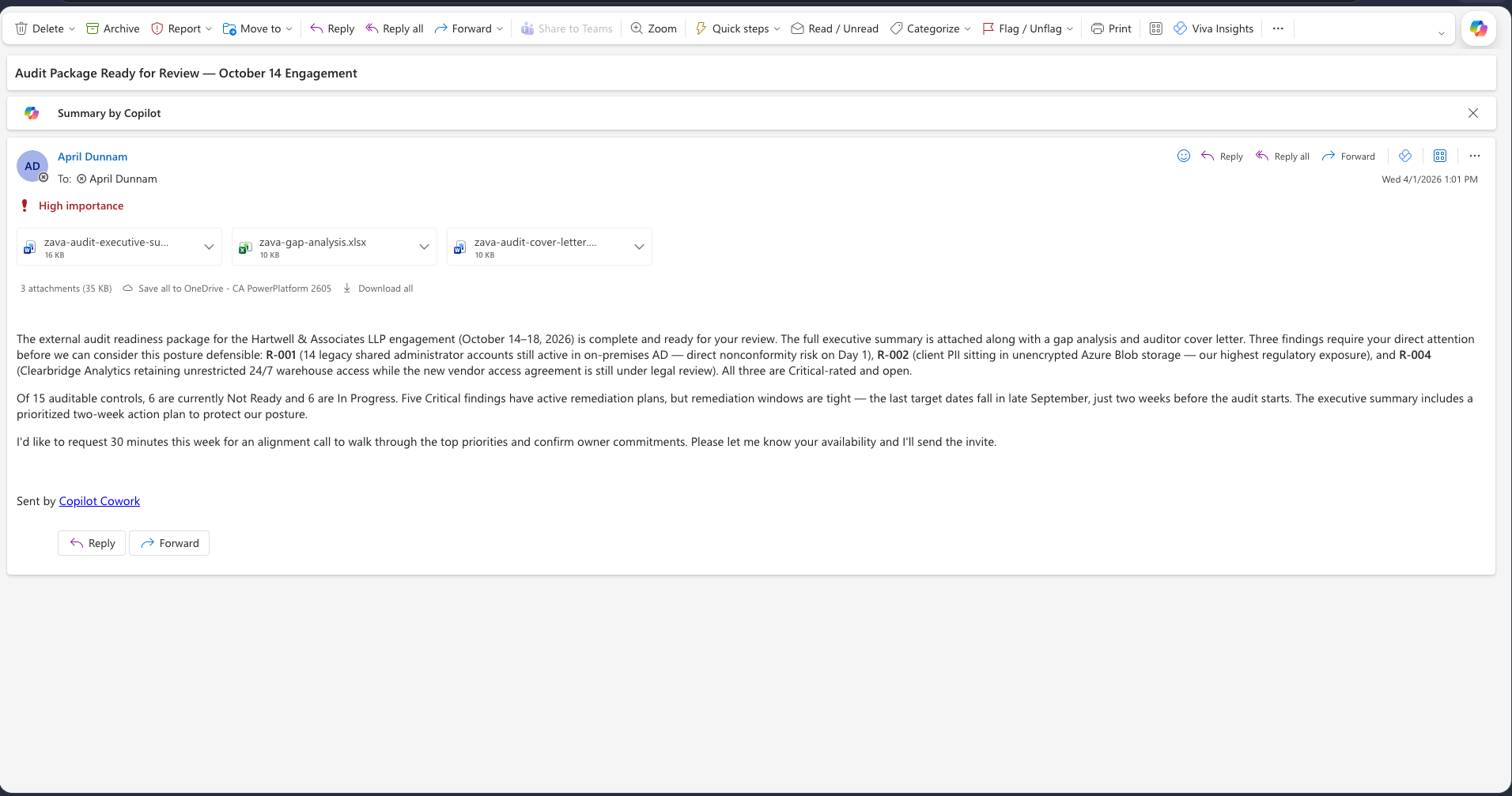
Check the sent email in your inbox. For responsible AI, it includes a “Sent by Copilot Cowork” signature and is marked with high importance along with the attachments.
🏆 Mission complete
Operation By the Book complete. Four audit outputs from one Cowork conversation.
Key takeaways:
- ✅ Evidence-based outputs: references actual Risk IDs, actual policy versions, and real names from the files
- ✅ One prompt, multiple documents: describe the work once, and Cowork also handles consistency across documents
- ✅ User approval before sending: email is not sent until you verify Risk IDs, verify the recipient, and approve
- ✅ Immediate correction without restart: fix mistakes with targeted follow-up requests
🏅 Get your badge
After completing the mission, you can request your badge: badge request form
Translated article — This article is based on The Compliance Packet from Microsoft Agent Academy. Images link to assets from the original site. Refer to the original for the latest content and lab assets. Original source: https://microsoft.github.io/agent-academy/cowork-collective/compliance-packet/